When your tag is scanned
This is the moment Boomeraang is built for. Here's exactly what happens when someone finds a tagged item and scans it — and why your private information stays private.
What the finder does
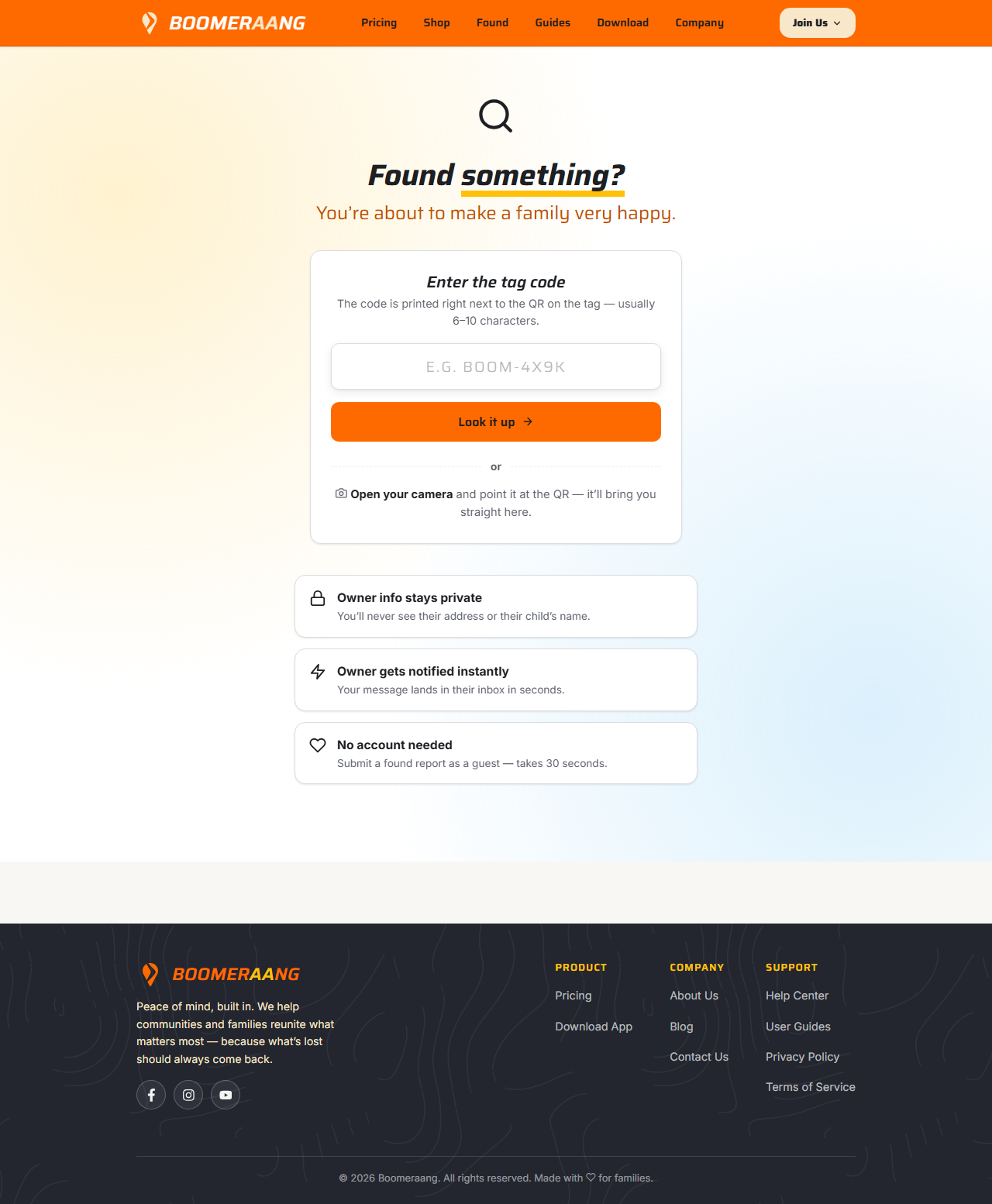
Anyone can scan a Boomeraang tag — no account needed.
- They point their phone camera (or the in-app scanner) at the QR code, or type the code by hand at boomeraang.com.
- They reach a simple "found it" page for that item.
- They can optionally add a message, their location, and a way to reach them, then submit.
What the finder can and can't see
Your privacy is protected by design. The finder never sees:
- your home address,
- your child's name, or
- your contact details.
They only see enough to know the item is registered and to send it home.
What you're notified
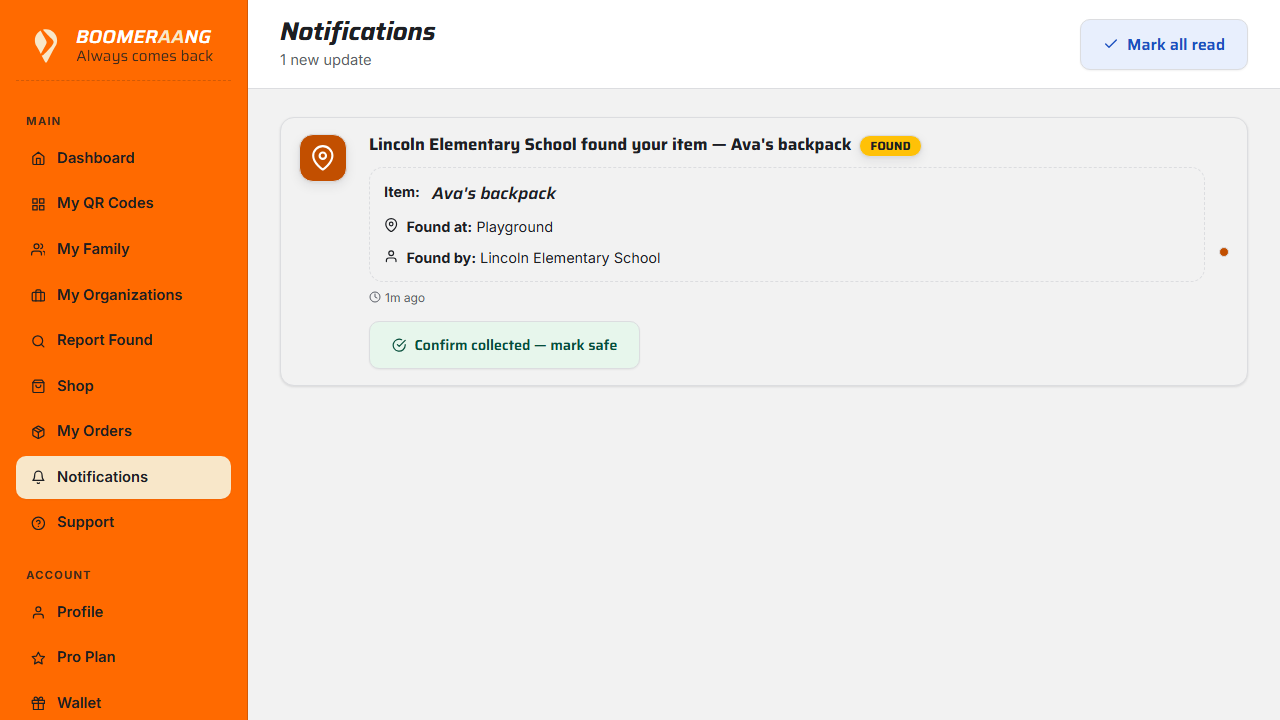
The instant a tag is scanned and reported, you get a notification (in-app, and by email/SMS depending on your alert preferences). Open it to see the finder's message, their location if shared, and any contact info they provided.
Getting the item back
From the notification you can arrange the return — for example, replying to the finder's contact info, or coordinating pickup through a linked organization. Once the item is back in hand, mark it returned so your records stay tidy — see Mark items lost or returned.
When a kind stranger returns your child's belongings, you can send them a small reward as a thank-you. Boomeraang takes no platform fee. See Rewards, wallet & cash-out.
What's next
Still stuck? Contact us — we're happy to help.